How to Install Keyboard Language on Windows 11?
How to Install Keyboard Language on Windows 11?
Enhance your typing skills on Windows 11 by adding new Windows keyboard languages. With a simple process, Windows 11 allows seamless switching between languages. In this guide, learn how to install a new keyboard language swiftly. Let's begin!
Step 1: Open settings by pressing the Windows key + I

Step 1: Open settings by pressing the Windows key + I
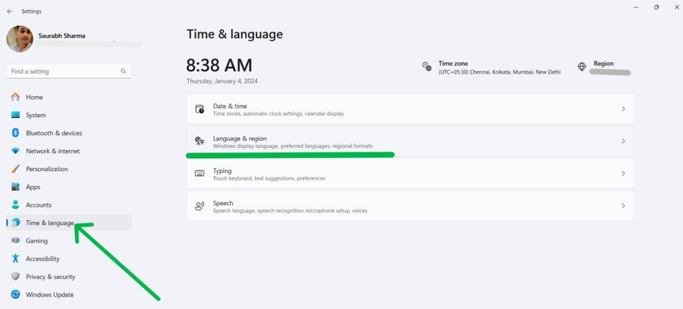
Step 2: In settings, Click on Time & Language from the left sidebar.
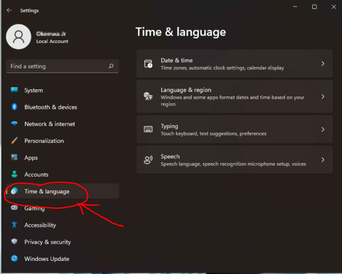
Step 2: In settings, Click on Time & Language from the left sidebar.
Step 3: Then, Click on Language & Region from the right-side panel
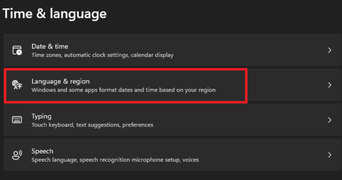
Step 3: Then, Click on Language & Region from the right-side panel
Step 4: Under the language section, Click on "Add a Language"